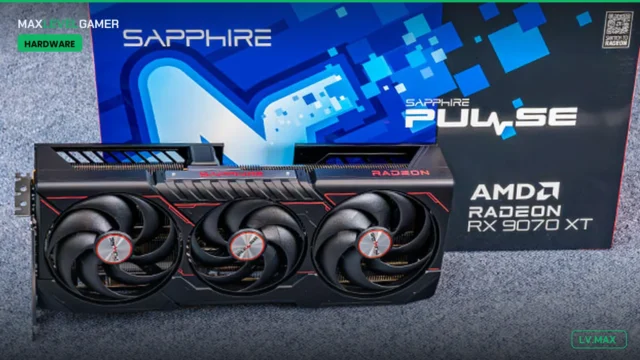
You have an RX 9070 and a DLSS-shaped hole in your heart. Or you picked up an
RTX 5070 and you’ve got a nagging feeling you’re leaving frames on the table
every time you load a game. Either way, the upscaling dropdown in every new
release has quietly turned into a quiz nobody revised for, and the acronyms
keep multiplying.
So let’s sort it out properly. We’ll cover what these things actually do, then
pick a clear winner for each kind of setup, because the “best” upscaler
genuinely depends on which card is in your machine and how you play.
What upscaling is actually doing
Here’s the short version of what all three are up to. Your GPU renders the
game at a lower resolution, say 1440p when your monitor is 4K, which is far
cheaper to draw. The upscaler then reconstructs the missing pixels to fill a
full 4K frame, using the current frame, a few previous frames, and motion
vectors that tell it how everything moved since last time. Older methods did
this with hand-tuned maths and a lot of guessing. The modern versions, DLSS
4.5, FSR 4 and XeSS 2, run a trained AI model on the card instead, which is
why they hold up so much better on the stuff that used to shimmer and crawl:
fences, hair, foliage and thin wires. Frame generation is a separate trick
bolted on top. Rather than filling in pixels, it invents whole extra frames
between the real ones to push the frame-rate counter higher.
That distinction matters for everything below. Frame generation is not free
performance. It is motion smoothing with a cost.
The quick comparison
| Tech | Latest version | Upscaler runs on | Frame gen | Best for |
|---|---|---|---|---|
| Nvidia DLSS | DLSS 4.5 (2nd-gen transformer) | All RTX 20 to 50 series | Multi Frame Gen up to 6X, RTX 50 only | Nvidia owners, max image quality |
| AMD FSR | FSR 4 / 4.1, plus Redstone suite | RX 9000 (RDNA 4); 4.1 upscaling now reaching RX 7000 | FSR Frame Generation (Redstone) | RDNA 4 owners |
| Intel XeSS | XeSS 2 / 2.1 | Best on Intel Arc (XMX); DP4a fallback on most other GPUs | XeSS-FG with XeLL low latency | Arc owners and older or mixed rigs |
If you own an Nvidia RTX card
Winner: DLSS, easily. The second-generation transformer Super Resolution model
in DLSS 4.5 is the best-looking upscaler going, and the Super Resolution part
runs on every RTX card back to the 20 series, not just the new ones. Nvidia
reckons it covers more than 400 games and apps now. If you’re on a 50-series
card you also get Multi Frame Generation up to 6X, which Nvidia and
Tom’s Hardware
detailed out of CES 2026. Turn the transformer model on, set it to Quality or
Balanced at 4K, and get on with your life.
If you’ve got an RX 9070 or any RDNA 4 card
Winner: FSR 4, and you should feel good about it. The machine-learning FSR 4
upscaler is exclusive to RDNA 4, and AMD has pushed support past 300 games,
per
TweakTown. It is a massive jump over the old FSR 3.
Digital Foundry
called it a real step forward that cleaned up the particle ghosting FSR 3 was
infamous for, while still sitting a notch behind DLSS. On top of that sits the
Redstone suite: FSR Frame Generation, Radiance Caching and a Ray Regeneration
AI denoiser that
shipped in FSR SDK 2.2, with Crimson Desert first out of the gate. For your card, there is no
reason to reach for anything else.
If you’re on an older AMD card or a mixed-bag rig
Winner: XeSS 2. This is the one people forget. XeSS runs its best quality path
on Intel Arc using the XMX cores, but it also has a DP4a fallback that works
on almost any recent GPU, so an RX 6700 XT or a GTX 1080 owner still gets a
proper AI-adjacent upscaler. FSR 4’s ML model won’t run on those older Radeons
at all, though AMD has started bringing FSR 4.1 upscaling back to RX 7000
cards via driver updates. XeSS 2 also bundles XeSS-FG frame generation and
XeLL low latency, which
PC Gamer
rated as matching DLSS for features and edging ahead of FSR in places. On an
Arc card it’s a no-brainer. On an old card from either of the big two, it’s
often your best picture.
If you refuse to turn on frame gen
Winner: DLSS transformer upscaling, with FSR 4 a close second. Plenty of us
leave frame generation off, because it adds input latency and only feels right
when your base rate is already around 60fps or higher. Judged on upscaling
alone, DLSS 4.5 is still the sharpest reconstruction, and
TechSpot
found it available in roughly 97% of games it checked, against 72% for FSR 4
and 53% for XeSS. FSR 4 closes the quality gap enough that most people won’t
clock the difference mid-firefight. DLSS still wins on pure image quality.
That part has not changed.
If you’re chasing a 240Hz or 360Hz display
Winner: DLSS 4.5 Multi Frame Generation, no contest. Getting a single rendered
frame turned into five on-screen frames is exactly what 6X MFG is built for,
and it’s the quickest route to saturating a very high refresh panel. The catch
is that MFG is locked to RTX 50-series cards, you want a solid 60fps base
before you switch it on, and Reflex needs to be enabled so the added latency
stays bearable. Push it from a 30fps base and you’ll feel the input lag no
matter how smooth the counter looks.
So which one
Match the upscaler to the card and you basically can’t go wrong: RTX means
DLSS, RDNA 4 means FSR 4, Arc or anything old means XeSS. The gaps that used
to make this a religious war have shrunk to the point where your GPU brand
decides it for you. If none of those are you, and you just want the cleanest
picture for the least faff, it’s DLSS.