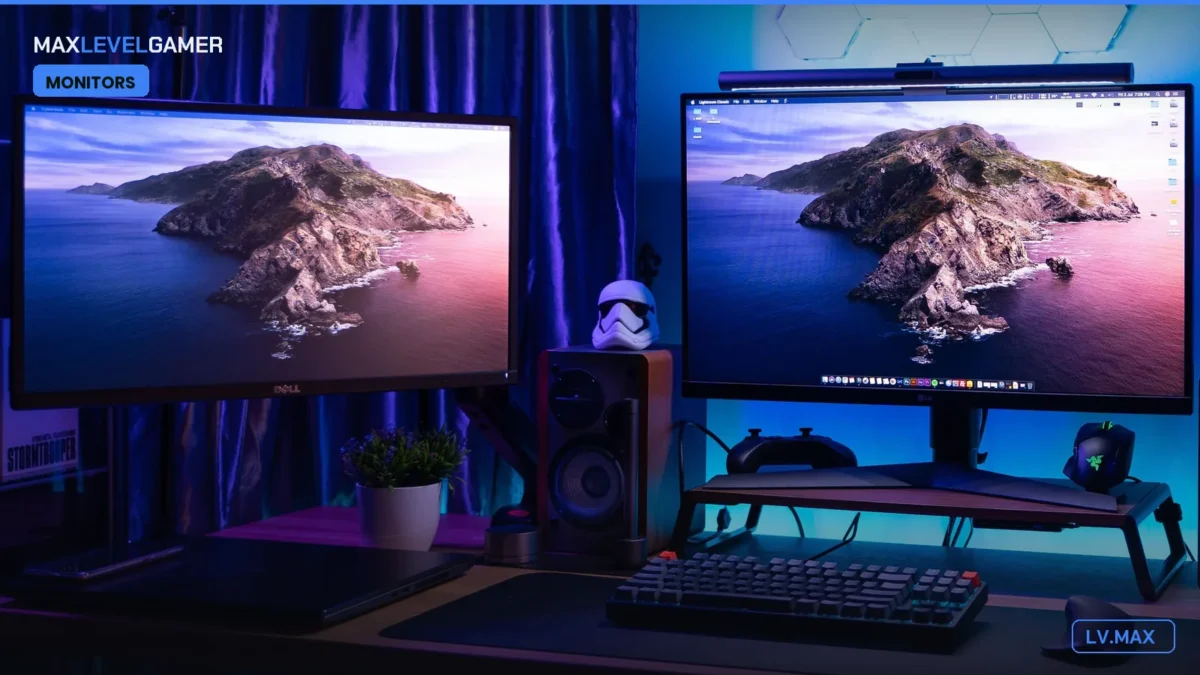
One of us bought a 1440p OLED in a moment of weakness last month and has not
shut up about it since. We have all had to sit through the speech. The blacks.
The motion. The way a dark corridor in a horror game is actually dark instead
of a sort of murky grey soup. And the annoying thing is that the speech is
correct, because 1440p OLED has quietly become the single best upgrade most PC
gamers can make right now, and the prices have finally dropped to the point
where a genuinely great one costs about as much as a mid-range GPU did in the
bad old days. Around $350 to $400 gets you in. That was not true a year ago.
It was barely true six months ago.
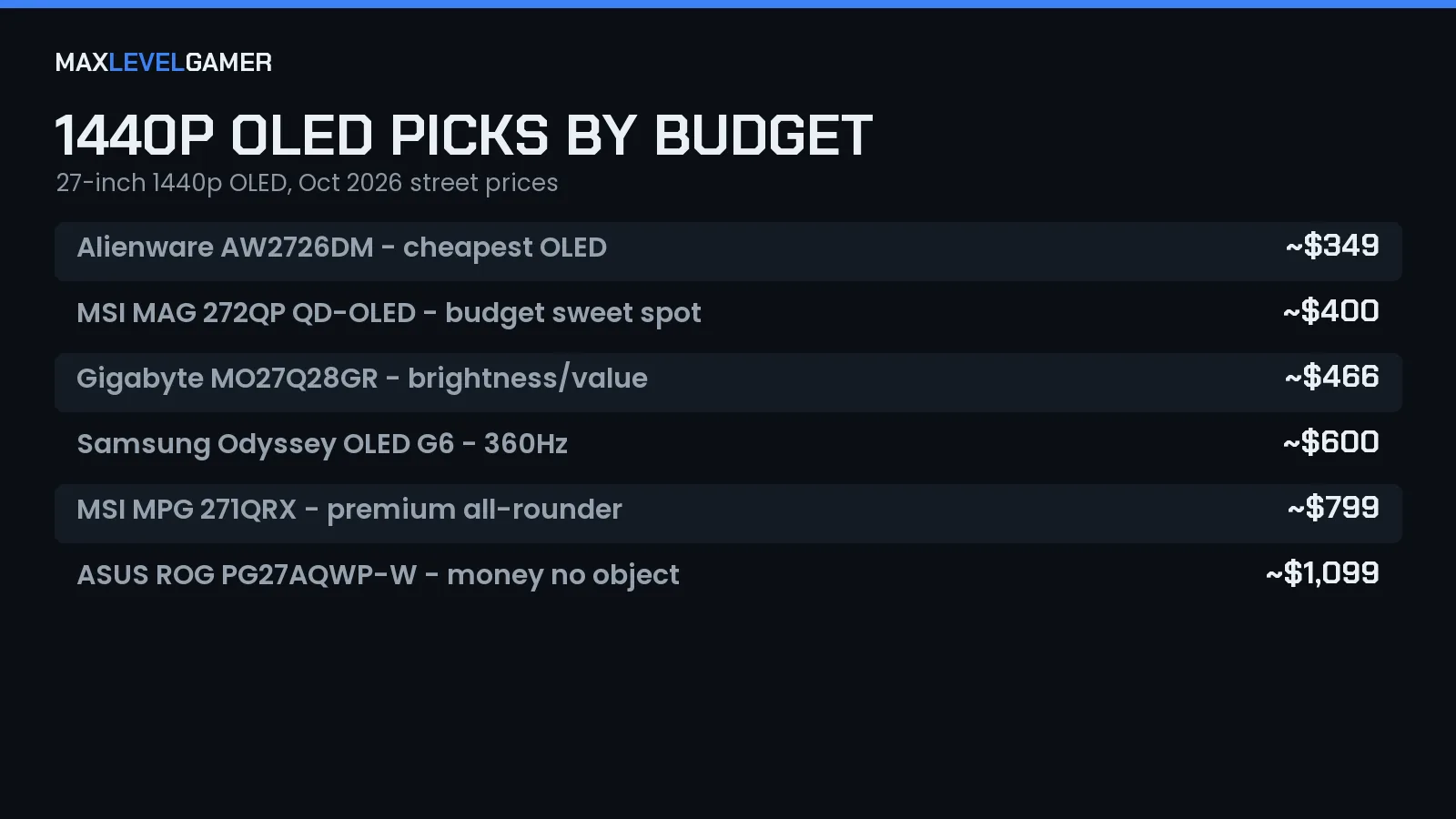
So here is a shortlist. It is deliberately not ranked, and we mean that. The
“best” monitor in the table below depends entirely on what you play, how
bright your room is, and how much pain your wallet can take, so instead of a
numbered countdown we have matched each pick to the kind of person who should
buy it. Find yourself in one of these sections and stop reading at that point.
Honestly. Save the money you would have spent on the next one up.
Why 1440p OLED and not 4K?
Because your GPU would like a word. 4K OLEDs exist and they are lovely and
they will bring a mid-range card to its knees in anything released after about
2023. 1440p at 27 inches is the sweet spot where the pixel density is sharp
enough that you stop noticing pixels, but the frame rates stay high enough
that you actually get to use the 240Hz or 360Hz you paid for. If you are
running something from our list of
GPUs worth buying before the next generation lands, 1440p is where those cards feel fast rather than merely adequate. OLED on
top of that means true per-pixel blacks, near-instant pixel response, and the
sort of HDR that LCDs keep promising and never quite deliver. Once you have
seen it, going back to an IPS panel feels like someone smeared the screen with
a thin film of milk.
Burn-in. Yes. We will get to it. Short version: it is mostly a 2019 problem.
Dell Alienware AW2726DM: for the “just get me into OLED” gamer
At roughly $349 this is the cheapest 1440p OLED on the market and that fact
alone makes it the most important monitor on this list. It is the one we point
people at when they say “I have heard OLED is good but I am not spending seven
hundred quid on a screen.” You do not have to. This gets you the thing that
matters most, which is the panel itself, and it does it at a price that would
have been a mid-tier IPS two years ago. The refresh rate and the brightness
are not going to beat the pricier picks further down, and Alienware’s styling
is still very Alienware, but if your gaming diet is mostly single-player
stuff, RPGs, story games, a bit of casual multiplayer, you will not feel
short-changed. You will feel like you got away with something.
Who should skip it: anyone chasing high refresh for competitive shooters. For
the rest of us, this is the entry ticket and it is a good one.
MSI MAG 272QP QD-OLED X24: the budget sweet spot
Fifty dollars more than the Dell and you get a proper jump in spec. This is a
27-inch QD-OLED at 1440p, 240Hz, with the 0.03ms response time that makes
motion look like it is being painted directly onto your retina. QD-OLED
matters here because the quantum dot layer gives you punchier colour and
better brightness than older WOLED panels, so games with a lot of saturated
colour (anything from Nintendo, anything cel-shaded, Overwatch, the whole
candy-coloured end of the spectrum) look ridiculous in the best way. For about
$400 this is the one we would buy with our own money if we were buying today,
and we are aware that is a dangerous sentence to write in an unranked list.
Fine. It is the sweet spot. There, we said it. It is the monitor that makes
the most sense for the most people, and the step up to the next pick is about
brightness and refresh rather than any fundamental difference in how good the
picture looks.
The only real catch with QD-OLED is the glossy-ish panel coating that can make
blacks look slightly purple in a very bright room. Close the blinds. Problem
solved.
Gigabyte MO27Q28GR: do you game in a bright room?
Then this one is your pick. Around $466 gets you a 27-inch 1440p panel at
280Hz using Tandem WOLED, which stacks two emissive layers to push
significantly more brightness than the single-layer OLEDs of old. The panel is
glossy, which is a deliberate choice and one we happen to love, because glossy
coatings let the contrast through unfiltered and make the image look wet and
deep in a way matte coatings never quite manage. The trade is reflections,
obviously. If you have a window directly behind your chair this will show you
your own face during loading screens. If you have a normally lit room with a
lamp or two, it is a non-issue and the extra brightness makes HDR highlights
actually sting a little, which is the point.
Value-wise this sits in an interesting spot. It costs a bit more than the MSI
but gives you more brightness and a slightly higher refresh, so if you were on
the fence between the two it comes down to one question: is your room bright?
Yes, Gigabyte. No, MSI. Done.
Samsung Odyssey OLED G6: the esports-leaning pick
About $600 and you are now shopping for refresh rate above all else. The G6 is
a 27-inch QD-OLED at 1440p running 360Hz, which is the sort of number that
sounds like marketing until you play Counter-Strike or Valorant on it and
realise that the extra frames are genuinely visible in how smoothly enemies
track across your screen. This is the one for people who play competitively or
at least competitively enough that they care about the difference between
240Hz and 360Hz, and who have the GPU to push those frames in the first place.
Samsung’s OLED care features are solid too, with pixel shift and panel refresh
routines running quietly in the background so you can be a bit careless with a
static HUD and not worry about it.
And here is where we have to be honest about diminishing returns. Past about
$600 you are paying increasingly large sums for increasingly small gains. The
G6 is the last pick on this list where we would say the extra money buys
something most people will notice.
MSI MPG 271QRX: the premium all-rounder
At around $799 this is a 27-inch 360Hz panel with the same 0.03ms response and
a bit more of everything: build quality, port selection, tuning, the general
feeling that the thing was put together by people who cared. It is the pick
for someone who wants one monitor to do everything well, competitive and
single-player alike, and does not want to think about it again for five years.
Is it $200 better than the Samsung? For most of us, no. For someone who values
the refinements and plans to keep it a long time, maybe. We would not argue
with either choice.
Buy this if you want the best without going silly. Going silly is the next
section.
ASUS ROG Swift PG27AQWP-W: money is no object
$1,099. Five hundred and forty hertz. Native. Fourth-generation Tandem WOLED
and the brightest panel of the entire lot by a comfortable margin. This is the
monitor you buy when you have already bought everything else and the only
question left is whether the screen is the fastest and brightest thing
available at 1440p. It is. Nobody needs it. We want it anyway. The 540Hz is
genuinely silly, because almost no GPU in existence will feed it at that rate
in anything more demanding than an esports title at low settings, but if you
are an esports-at-low-settings person with a top-tier card and a bank balance
to match, there is simply nothing above this at 27 inches right now. The
brightness is the sleeper feature, really. HDR on this thing is a different
experience to HDR on the cheaper panels, and if you spend your evenings in big
cinematic single-player games it is the brightness, not the refresh, that will
make you grin.
Still. A thousand dollars. Think about it for a week first.
About that burn-in worry
The fear is roughly five years out of date. Modern panels have pixel-shift,
automatic refresh cycles, logo detection, and the manufacturers on this list
all offer multi-year burn-in warranties because they are confident enough to
put money behind it. Do the easy things: let the panel run its care cycle when
it asks, do not leave a static taskbar at full brightness for twelve hours a
day, use dark mode where you can. That is it. One of us has had an OLED on the
desk for three years of daily use and it looks the same as the day it arrived.
The other one, the one who gave the speech, has had his for a month and keeps
turning it off to look at his reflection. Different kind of care. Both work.