Pull up a stool, because this is the conversation we have at the bench with
mates who have saved up for months and do not want to get it wrong. You have
the cash, or close to it, and you want a machine that plays the games you
actually play without turning into a space heater or a regret. We have built
enough of these now to have opinions, and we are going to walk you through
three real tiers, bottom to top, the way we would if you were standing here
handing us parts out of a box.
One thing first, and it shapes everything below. Memory is expensive right now
and getting worse.
RAM and GPU prices are climbing because of the ongoing memory shortage, and
the forecasts we have seen stretch that squeeze out toward 2028. That matters
for two decisions you are about to make. First, buy 32GB now instead of
grabbing 16GB and telling yourself you will add a second kit “later” when it
is cheaper, because later is probably dearer. Second, if your plan was to wait
six months for the whole build to drop in price, we would gently talk you out
of it. The maths does not favour patience this cycle. We dug into the why over
on our
RAM prices piece, and it is grim reading if you love a bargain. So the honest move is to buy
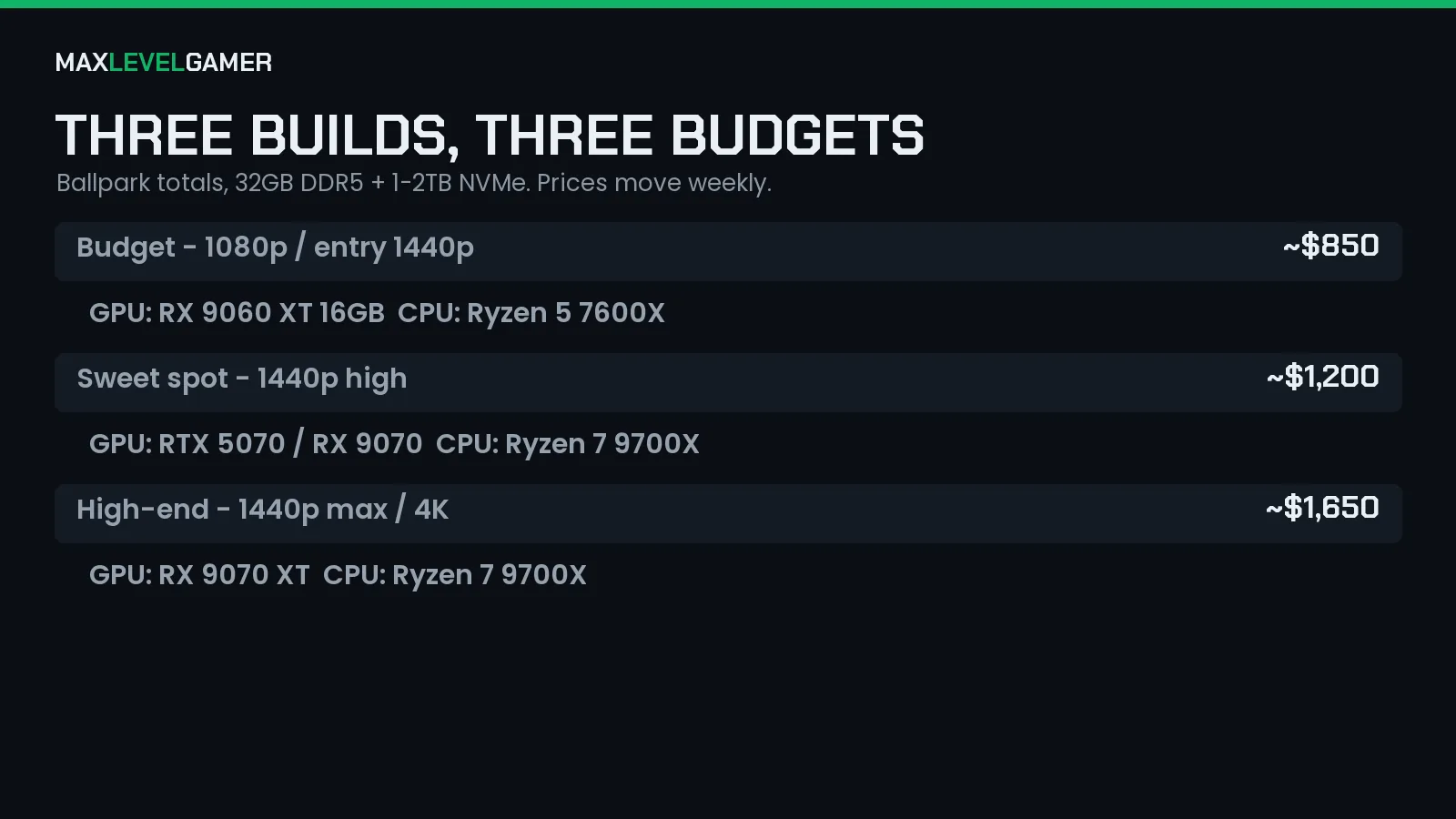
the best sensible tier you can afford today and start playing. The table below
breaks the three builds out side by side so you can see where every pound
lands.
Tier one: the budget build that quietly embarrasses consoles
This is the one we recommend to most people, full stop. Around $800 to $900
gets you a Ryzen 5 7600X doing the thinking, paired with either an RX 9060 XT
16GB or an RTX 5060 Ti 16GB on the graphics side. Both of those cards carry a
full 16GB of VRAM, which is the detail we care about, because a thin frame
buffer is how a “budget” card ages into a stuttery mess inside two years. Feed
it 32GB of DDR5-6000 if you possibly can (16GB works, but see the memory
warning above, this is exactly the corner you should not cut), and drop in a
1TB NVMe SSD so your games load before you have finished moaning about the
loading screen.
What does that actually get you at the desk? It crushes 1080p Ultra in
basically everything, and it will happily run 1440p at medium to high if you
are the kind of player who would rather have a sharper picture than a number
in the corner. It is not glamorous. It is the smart buy.
If money is genuinely tight, this is where we would stop and be happy.
Tier two: the 1440p sweet spot where most of you should land
Step up to roughly $1,200 and the whole character of the machine changes. Here
we put in a Ryzen 7 9700X, which has the extra cores and the newer
architecture to keep a stronger GPU fed, and we pair it with an RTX 5070 or
the RX 9070 depending on which one you can get at a fair price on the day.
32GB of DDR5 is standard at this tier, not a luxury, and we would go 1TB
minimum on the NVMe with 2TB being the comfier choice once you have three or
four big modern installs eating 100GB each.
The payoff is 1440p high at something like 110 to 160 fps in most of what is
out right now, which is the range where a good high-refresh monitor finally
earns its keep. Switch on the upscaler and this build will even poke at 4K
without falling over. For the GPU side of this decision specifically, we put
together a longer look at what actually holds value, and it is worth a read
before you commit:
our GPU value breakdown
saved a few of us from overspending.
If we had to point at one tier and say “this is the one most of you want,” it
is this one.
Tier three: the high-end rig for the big monitor crowd
Now we are into want territory rather than need, and that is a perfectly fine
place to shop as long as you go in clear-eyed. Budget here runs about $1,500
to $1,800. Keep the Ryzen 7 9700X or go better if your workload (streaming,
editing, the usual side hustles) justifies it. The real decision is the card.
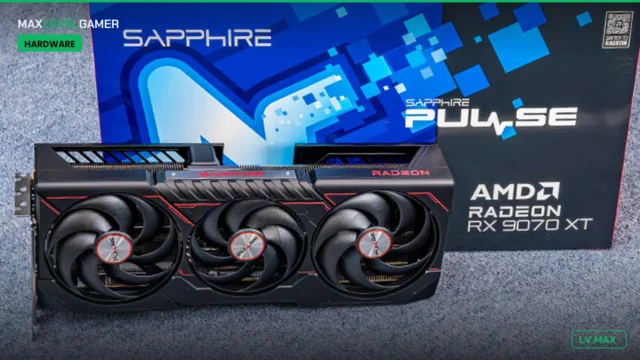
An RX 9070 XT lands around $740 to $800 and gives you genuinely excellent
max-setting 1440p and strong 4K for the money. The RTX 5070 Ti sits higher,
often $1,100 and up, and you are paying that premium mainly for Nvidia’s
upscaling and ray-tracing lead rather than raw raster muscle. We would not
judge you for either. We would just make sure you know which one you are
paying for and why.
Round it out with 32GB of DDR5 and a 2TB NVMe, because at this spend a cramped
drive is an insult to the rest of the parts. This build maxes 1440p without
blinking and gives you a real, playable 4K experience across the vast majority
of the library.
The trap at this tier is paying for the flashiest card and starving it on RAM
or storage to hit a round number. Do not do that.
So which one do we actually hand you?
Honestly? For most people reading this, tier two is the answer, and tier one
is the answer for anyone whose budget is firm. Tier three is for the folks
with a 4K panel already on the desk or a genuine reason to chase every frame.
The three builds are laid out in the table below so you can match the parts to
the prices at a glance, and remember that the numbers move weekly, especially
on memory and graphics cards, so treat each figure as a solid “about” rather
than gospel.
Here is the part we keep coming back to, because it is the part that will cost
you if you ignore it. The cheapest this hobby gets, for the next couple of
years at least, is probably today. The memory crunch is not a scare story we
invented for clicks, it is showing up in RAM and GPU pricing right now, and
the forecasts have it running hot into 2028. That does not mean panic-buy. It
means pick the tier that fits your wallet honestly, put the 32GB in now rather
than banking on a cheaper top-up down the line, and stop refreshing price
trackers hoping for a dip that the market is not currently handing out. Build
the thing. Play the games. Come tell us in the comments which tier you went
for and what you are running on it, because that is the bit we actually enjoy.